What's New in v1.50
December 2025 - January 2026
The v1.50 series introduced enhanced security features, completed the SLA compliance system, and added a unified calendar view to help you manage maintenance operations more effectively.
Highlights
Two-Factor Authentication
Keep your account more secure with email-based two-factor authentication.
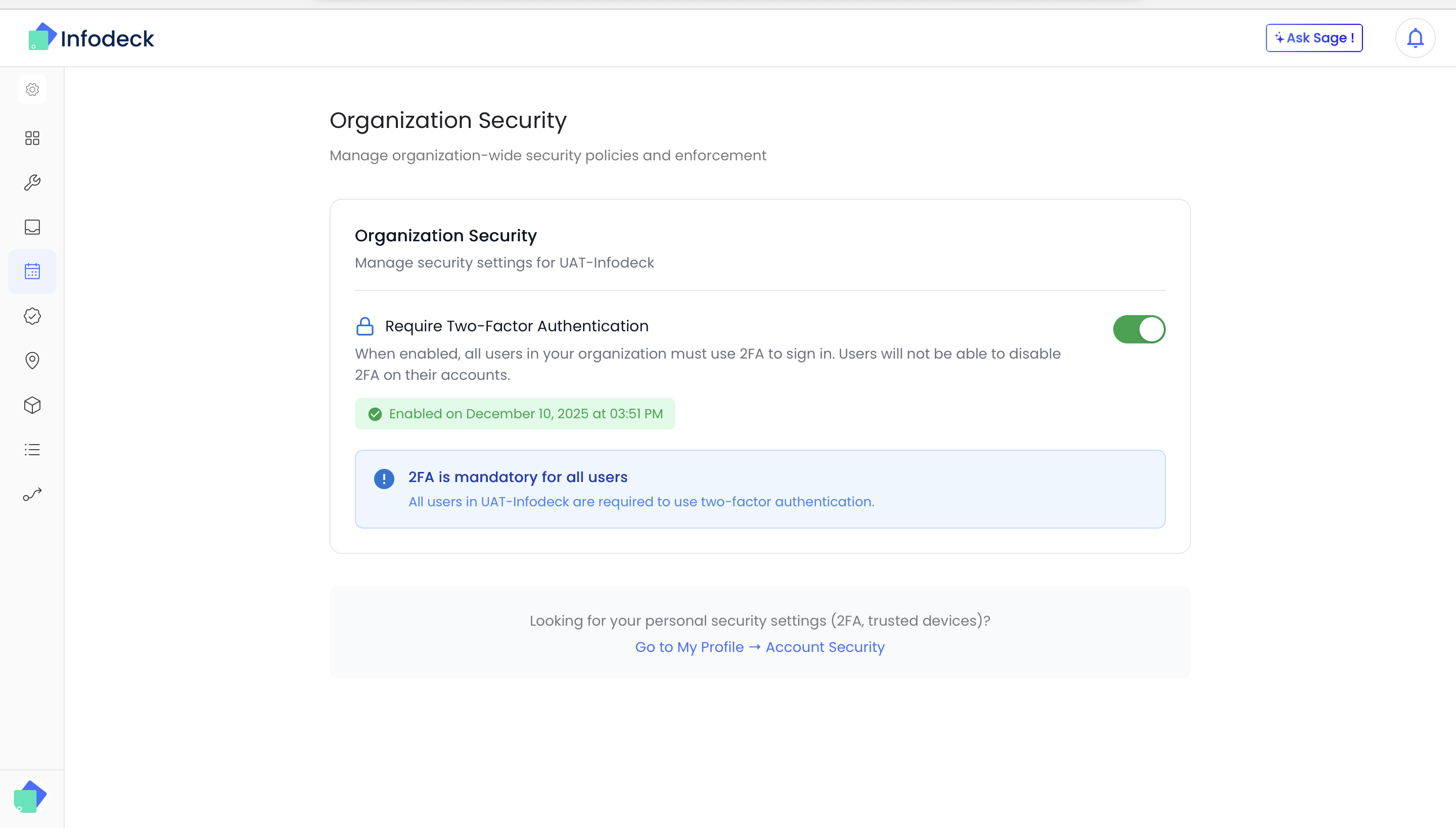
- Easy setup - Enable 2FA from your profile settings in just a few clicks
- Email verification - Receive a one-time code to your registered email
- Session management - View and manage your active sessions
- Organization-wide - Admins can require 2FA for all team members
👉 Get started: Go to Profile → Security
SLA Compliance System (Now Complete)
Full SLA tracking from configuration to real-time alerts. This release completes the SLA system that was introduced in earlier versions.
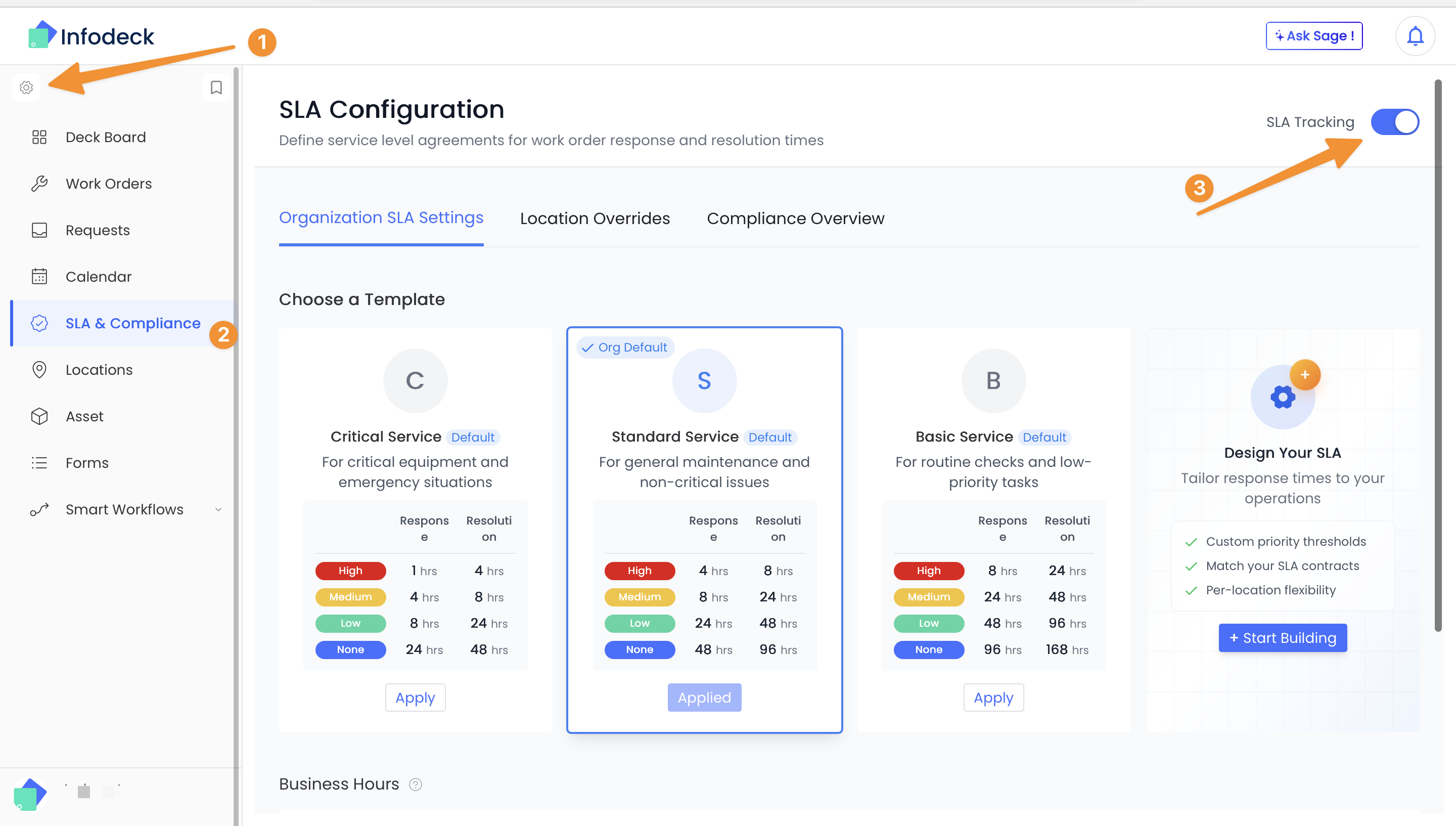
- Template configuration - Set response and resolution times by priority level
- Real-time breach alerts - Get notified when SLAs are at risk or breached
- Compliance dashboard - Visual analytics showing SLA performance trends
- First-time fix rate - Track resolution effectiveness across your team
- Business hours support - SLA calculations respect your organization's working hours and timezone
- Location-specific rules - Override default SLA templates for specific locations
👉 Try it now: Go to Analytics → SLA Compliance
Unified Calendar View
A new calendar interface to visualize and manage scheduled work.
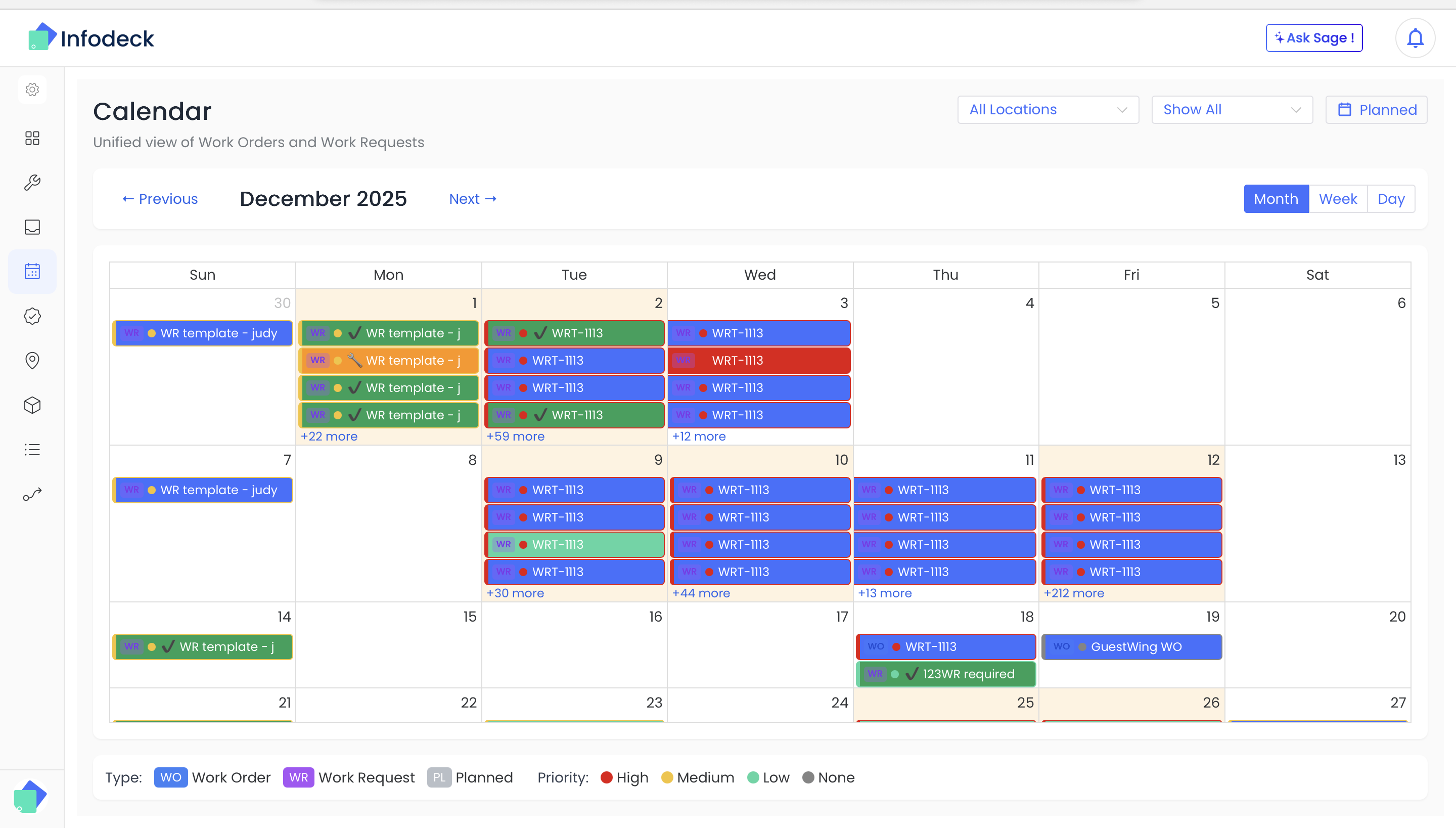
- Monthly overview - See all scheduled work orders at a glance
- Collapsible sidebar - Focus on the calendar or access quick actions
- Modern iconography - Refreshed visual design with cleaner icons
- Filter by team - Focus on specific teams or locations
👉 Try it now: Go to Work Orders → Calendar
Improvements
- Timezone handling - Comprehensive organization-level timezone settings
- User invitations - Streamlined invite flow allows users to register when invited
- Workflow analytics - More accurate insights into your automation performance
- Access control preview - Preview mode helps admins understand permission effects
- Asset tracking - Separate physical and IoT asset counts for better visibility
Security Enhancements
- Strengthened protection for your account and data
- Enhanced login security and session management
- Better handling of user inputs across the platform
Have feedback? Contact our support team